
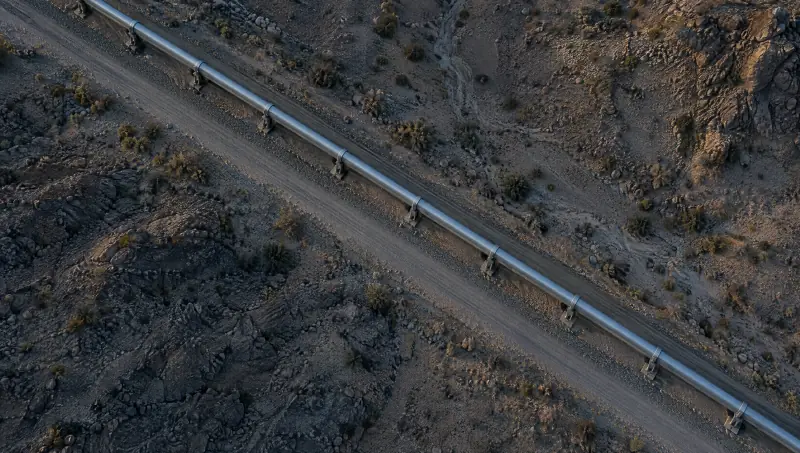
Drones
Patrol, inspect, hold and return. Routes are planned around what the picture shows, and every frame comes back to it.
Command a patrol in AirCommand
Drones, vessels, field teams, satellites, sites and accounts on one command picture. Decide once, from an operations room, a laptop or the phone in your hand, and the system moves.
Assets9
Alerts4
Recommended
Inspect KP 42.7
Waiting for the duty officer. Try it.
Every domain on one map, and the same map everywhere: on the wall of an operations room, on a laptop in a site office, on the phone of a duty officer at home.
Air, sea, land, orbit, infrastructure and cyber in the same place, so a flag in one domain shows what it touches in the others.
An operations room sees the whole sector, a site manager sees the site, a duty officer sees what needs a decision. One picture, and the view follows the role.
Anyone can be shown a flag. Only the people with the authority to act can task an asset or turn on Lock Down, and the record shows who did.
Domain by domain
The same gesture works in every domain. What moves depends on where the flag is.
Tasking and dispatch
An alert is only useful if something happens next.
Intelligence flags what changed: a thermal anomaly on pipeline P-7, at kilometre post 42.7.
Vamocles proposes a response with its reasons: the nearest drone, the route, and who has the authority to send it.
A person decides. The duty officer approves from whichever screen is closest, with one gesture.
The drone takes the route. A field team stands by with the same picture, and the alert reaches the people who need it.
Everyone watches the same feed. The camera is on the anomaly before anyone has left the operations room.
The finding, the decision and the outcome go on the record. The patrol resumes.
Patrol, inspect, hold and return. Routes are planned around what the picture shows, and every frame comes back to it.
Command a patrol in AirField teams receive the task, the route and the picture on the device they carry, and their position comes back to the map.
Search and rescue on LandRouted to the people who need them, at the severity they deserve, on the screen they are looking at: a wall, a laptop, a phone or the Mac notch.
Where flags come fromLock Down
When something feels wrong, Lock Down hardens a site, a network or a person’s device and accounts in a single, deliberate switch.
Lock Down is for moments when you think a device or account is compromised. On its own screen in the app, it asks you to confirm before it starts, shows how long it has been active and holds until you turn it off. Some apps and links stop working until then.
Site North
Lock Down is Off
Instantly harden this site.
What it does
Off. Nothing changes until someone turns it on.
Turn on Lock Down for Site North?
The perimeter is armed and entry is restricted until you turn it off.
Vamo sits beside the notch. Reach for it and the panel opens: posture, four quick actions and Ask Vamo.
Threat found in 1 file194 bytes · 1 item
DetailsDoneInvoice_March.pdf.command · Disguised executableThreat
Dropped on the notch, Invoice_March.pdf turns out to be Invoice_March.pdf.command: a disguised executable. It looks like a document but runs as a program.
Code signatures, double extensions, Windows executables, scripts, installers, archives and hidden executables.
Lock Down and Vamo in the notch are one click away in the menu bar, with Open Vamocles beside them.
On a display without a notch, the panel hangs from the top centre of the screen, over the menu bar. Everything else works the same.
Voice mode runs inside the notch. Speech is recognised on the Mac where it can be, with a fallback to Apple’s servers.
About voice modeThe same picture, sized for a hand.
Command
Sector North
RecommendedNeeds you
Inspect KP 42.7
UAV 2 is the nearest drone. Thermal anomaly on pipeline P-7.
Waiting for your decision.
People in command
Command is built so that power stays with the people who answer for it. Vamocles proposes, explains and carries out. It never decides on its own authority.
PeopleSystem
Tell us what you run and who needs to command it. We will show you how Vamocles would bring it onto one picture, and into the right hands.
Or write to hello@vamocles.com
